If a student has moved to a different school, you have the option to export their tier folder to the new school. Only administrator accounts have this option.
1. Login to your Pathways account through Clever, ClassLink, or at pathwayslearningstudio.com.
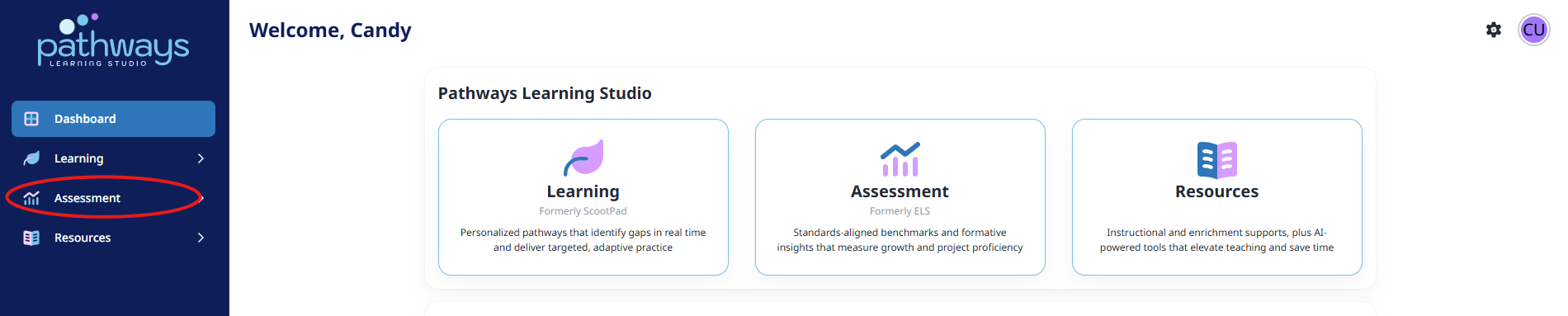
2. Navigate to 'Assessment' on the left-hand navigation bar.
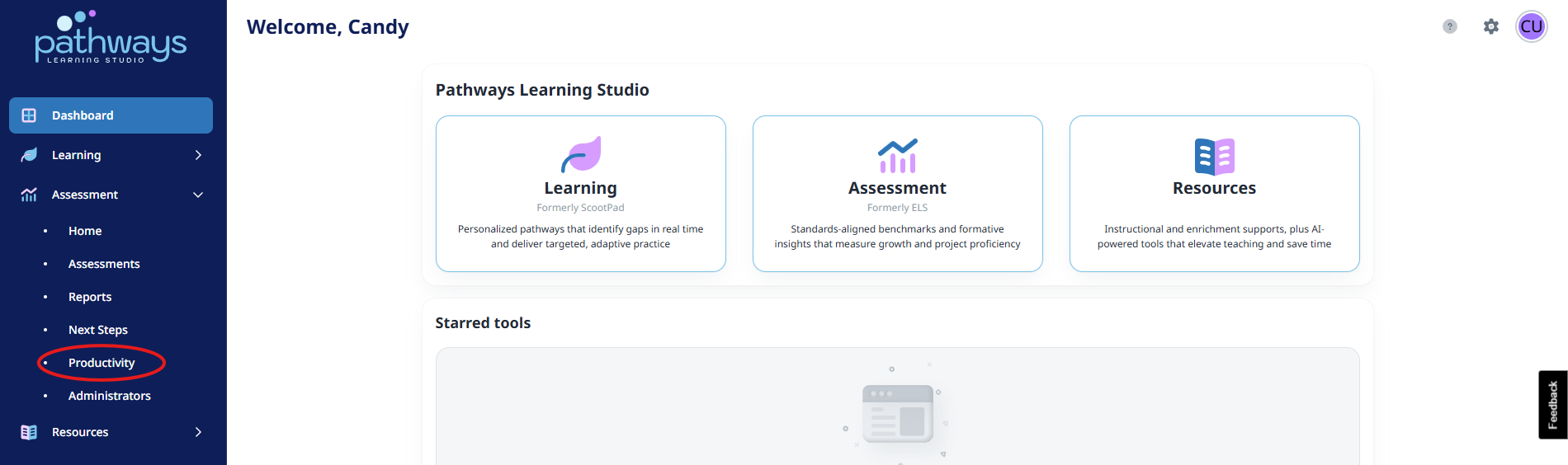
3. Navigate to 'Productivity' located under 'Assessment' on the left-hand navigation bar.
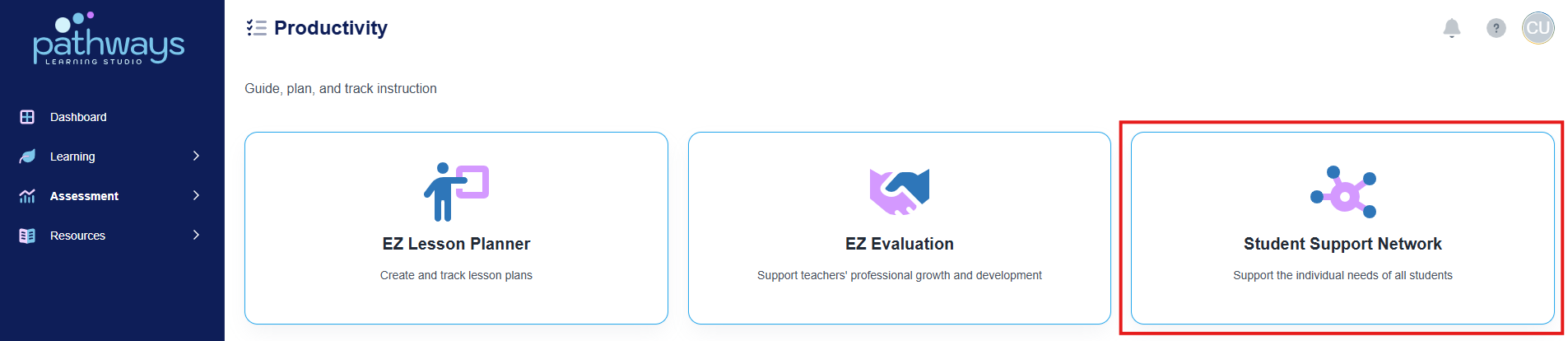
4. Select 'Student Support Network' from the Productivity dashboard.
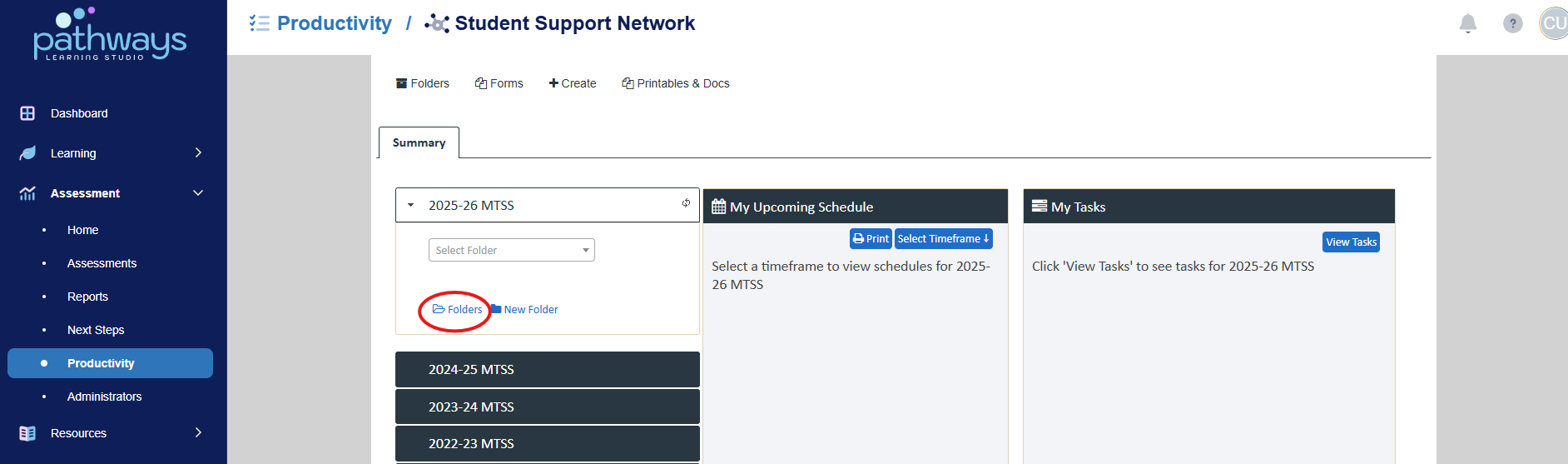
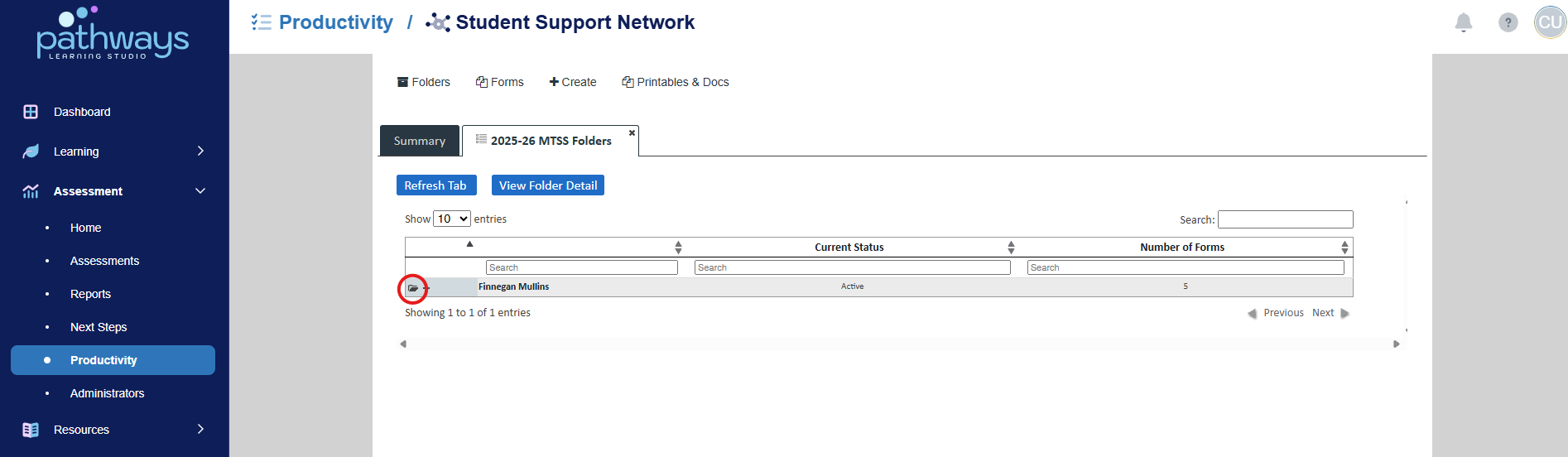
5. Choose ‘Folders’ under the current year’s event.
6. Choose the folder icon to the left of the student whose forms you wish to export.
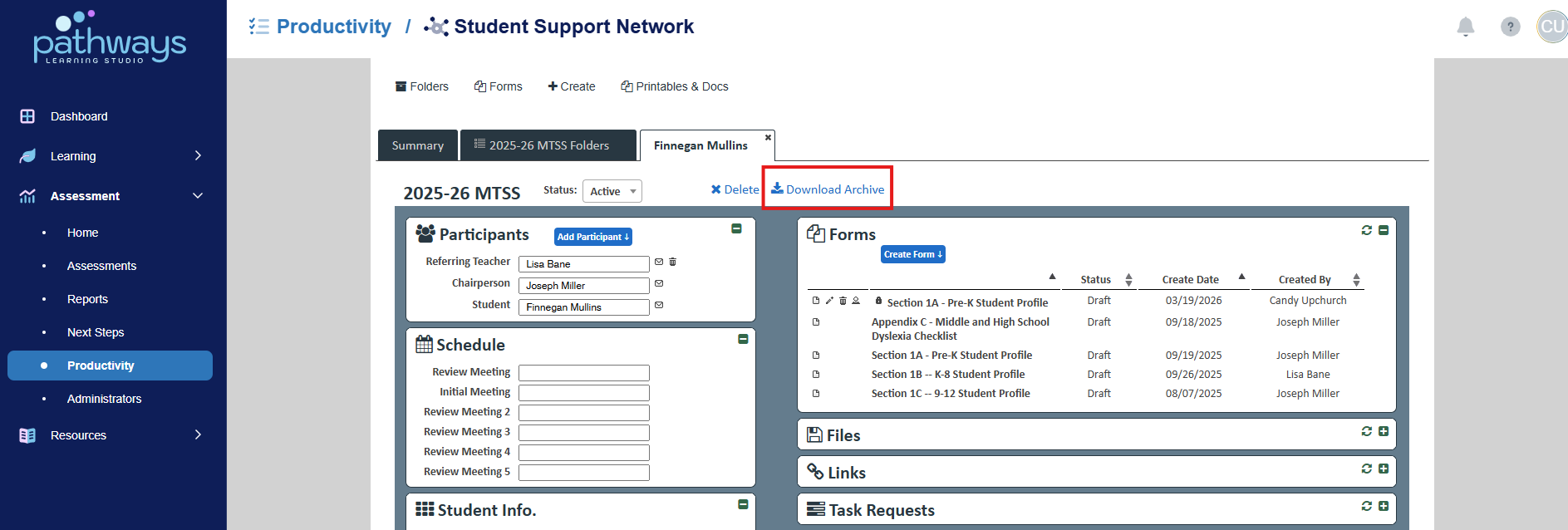
7. Select ‘Download Archive’ at the top center of the screen. The folder will be downloaded to your machine as a zip file.
Was this article helpful?
That’s Great!
Thank you for your feedback
Sorry! We couldn't be helpful
Thank you for your feedback
Feedback sent
We appreciate your effort and will try to fix the article