This article will explain how to unpublish an assignment.
Note: Once an assignment has been published, students will no longer be able to login to that assignment, even if the assignment is unpublished.
1. Login to your Pathways Learning Studio account through Clever, ClassLink, or at pathwayslearningstudio.com.
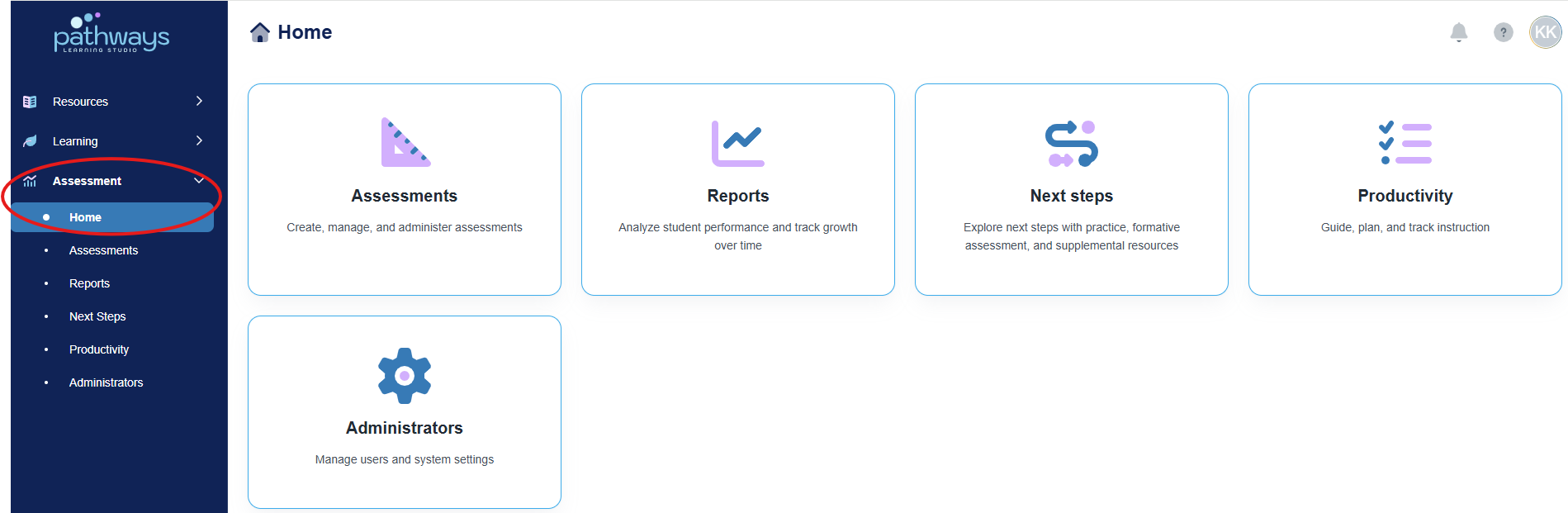
2. Navigate to 'Assessment' → 'Home.'
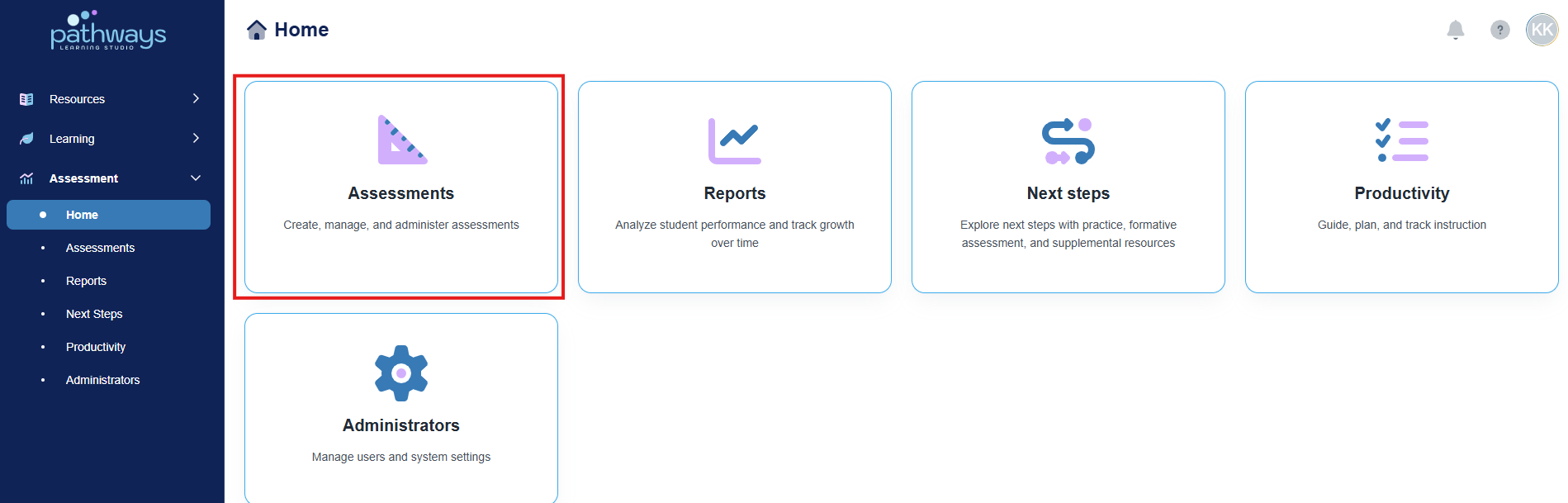
3. Select the 'Assessment' tile.
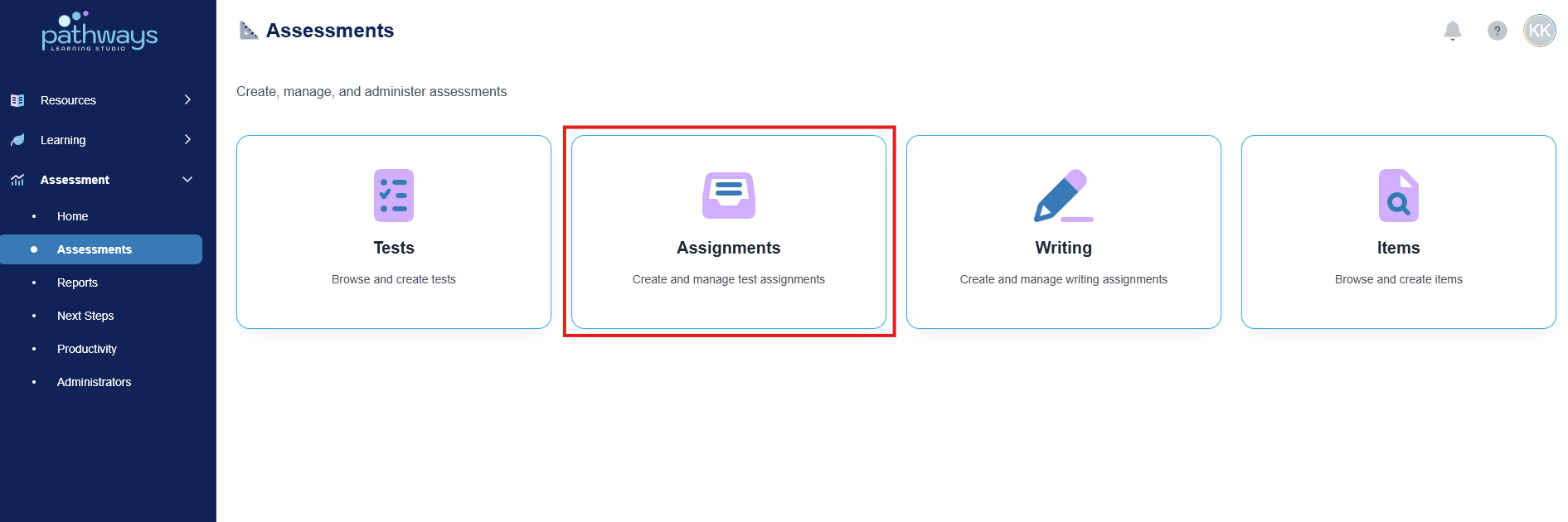
4. Select the 'Assignment' tile.
5. Change the ‘Status’ filter to ‘Completed’ at the top right of the screen.
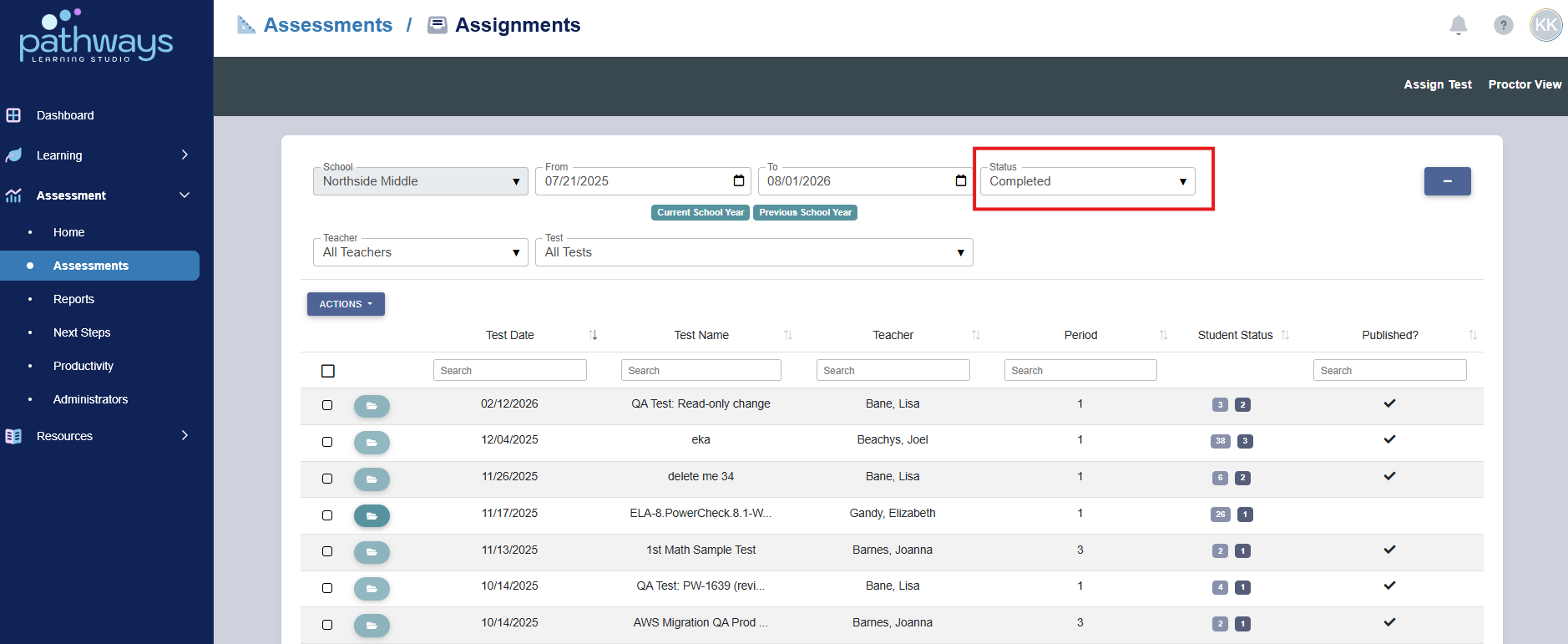
6. Locate the assignment you wish to unpublish, and select the box to the far left of the assignment name.
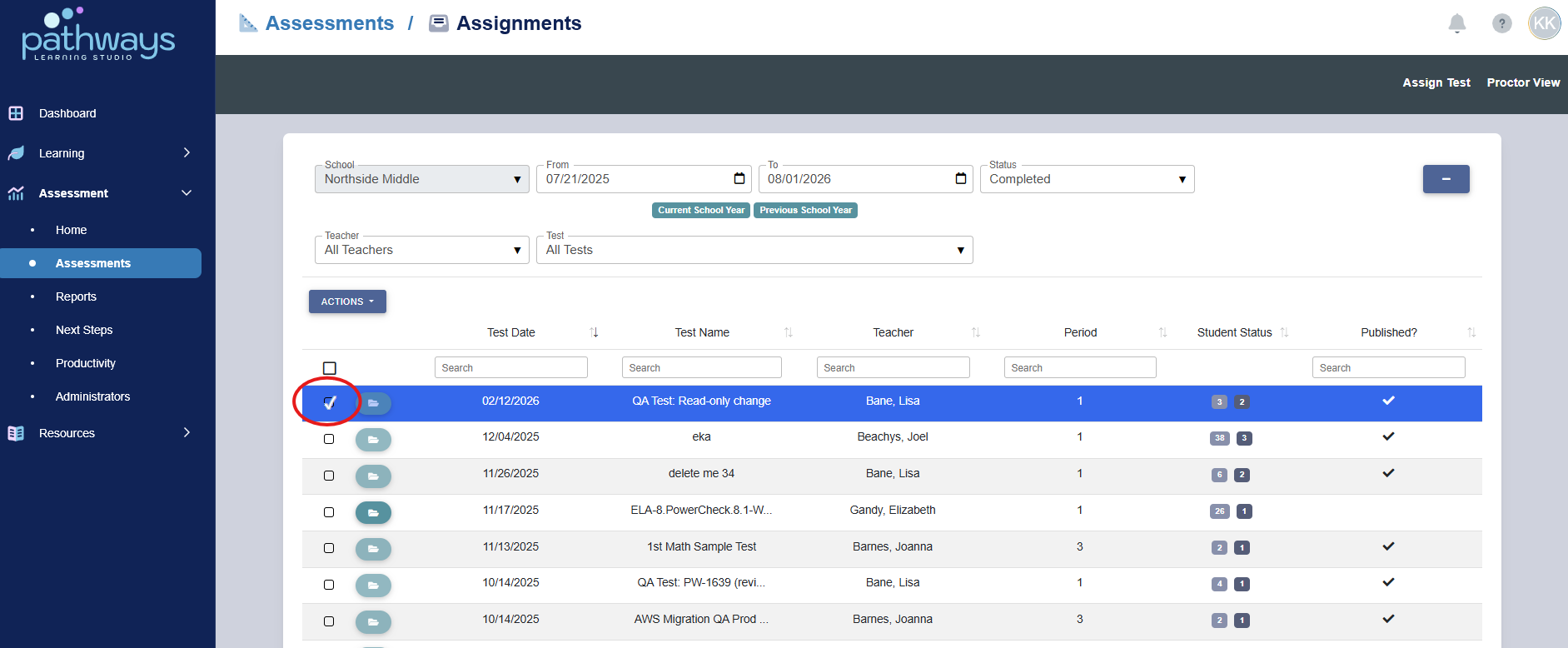
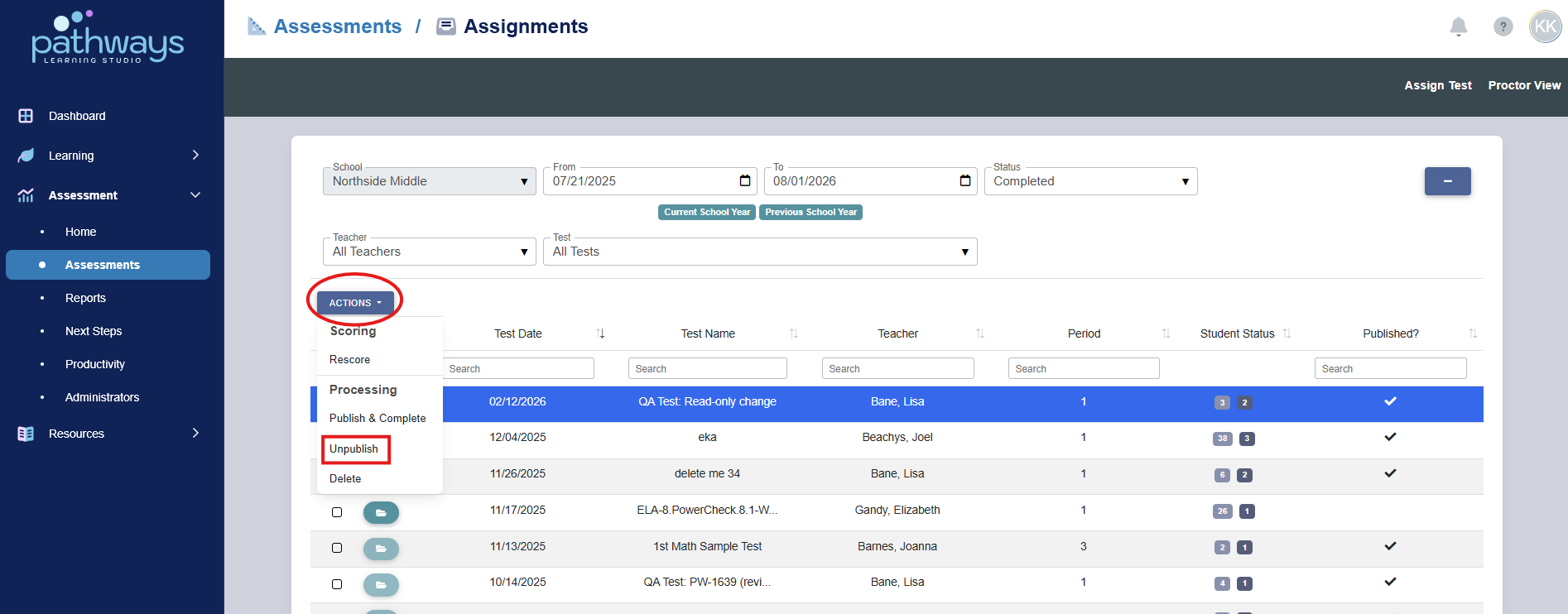
7. Once selected, choose ‘Unpublish’ from the 'Action' menu.
Was this article helpful?
That’s Great!
Thank you for your feedback
Sorry! We couldn't be helpful
Thank you for your feedback
Feedback sent
We appreciate your effort and will try to fix the article