After reviewing assessment reports, you will gain an understanding of the specific strands or standards that students need reinforced. The Pathways portal does not have student specific reviews, but rather holds standard and strand specific reviews referred to as “Power Checks." Power Checks are 8-10 question reviews that can be printed as a worksheet or assigned as an online test.
1. Login to your Pathways account through Clever, ClassLink, or at pathwayslearningstudio.com.
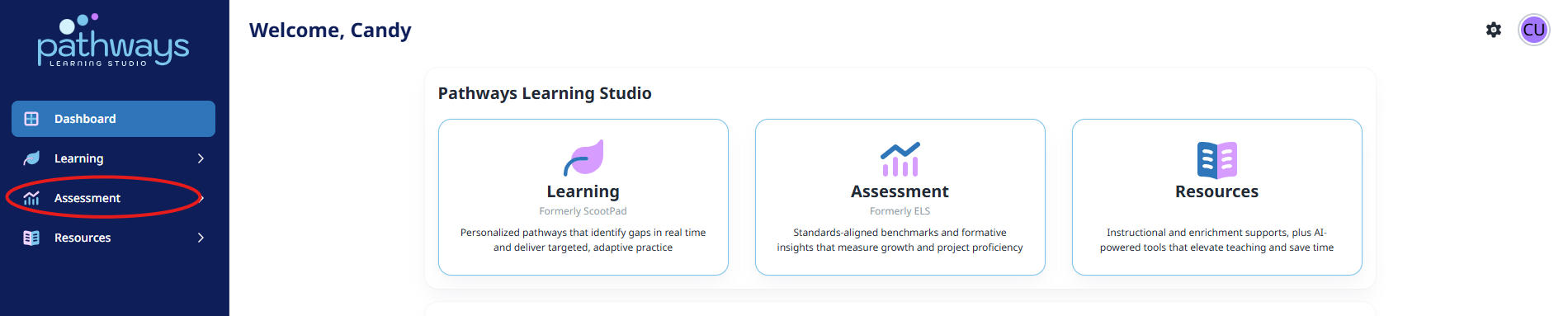
2. Navigate to 'Assessment' on the left-hand navigation bar.
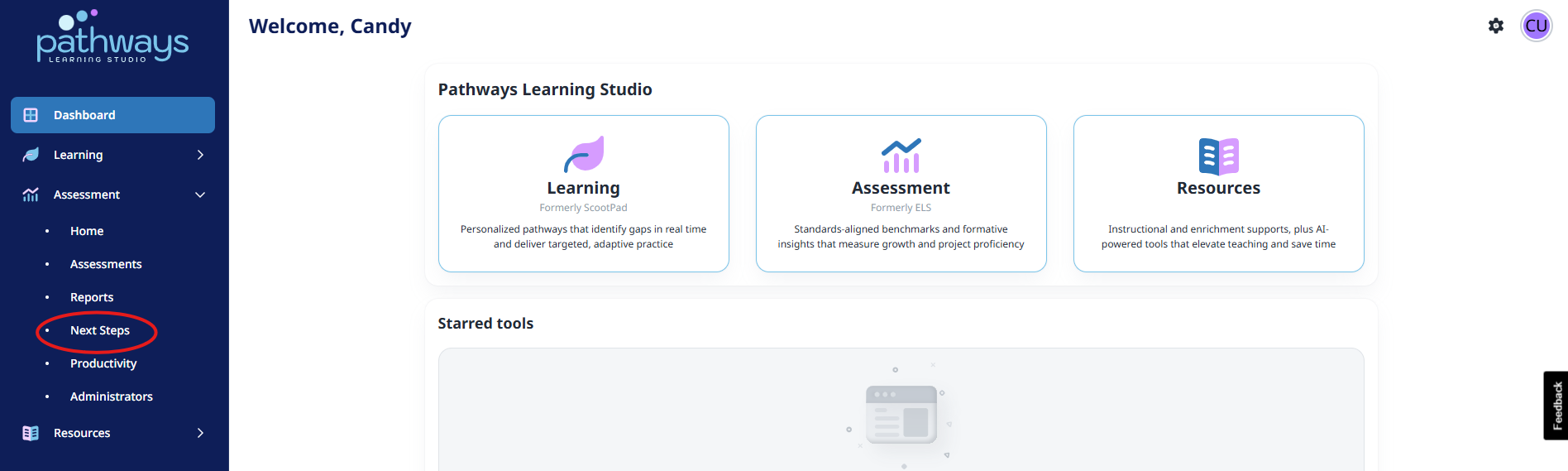
3. Navigate to 'Next Steps' located under 'Assessment' on the left-hand navigation bar.
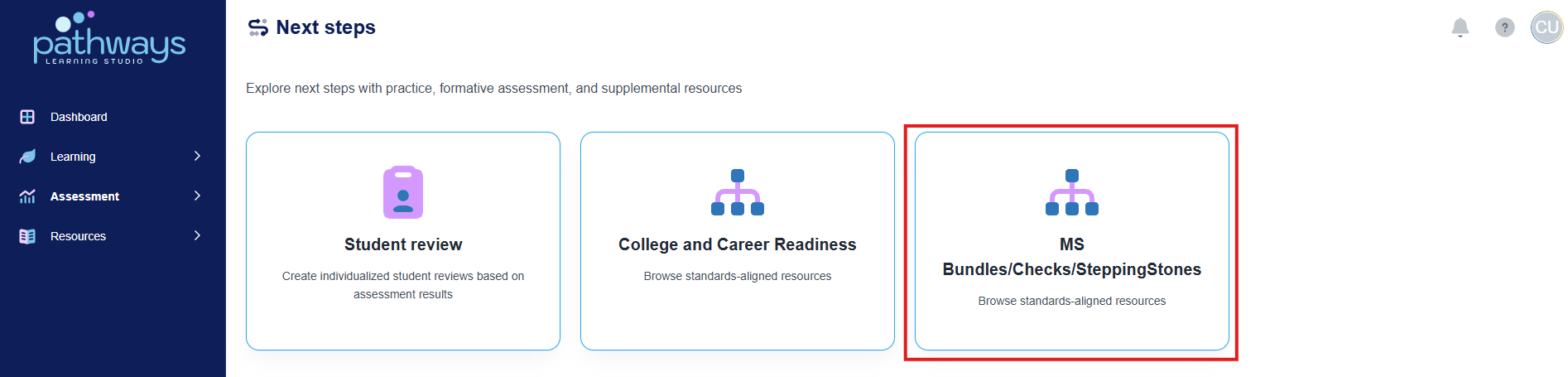
4. Select 'Bundles/Checks/SteppingStones' from the Next steps dashboard.
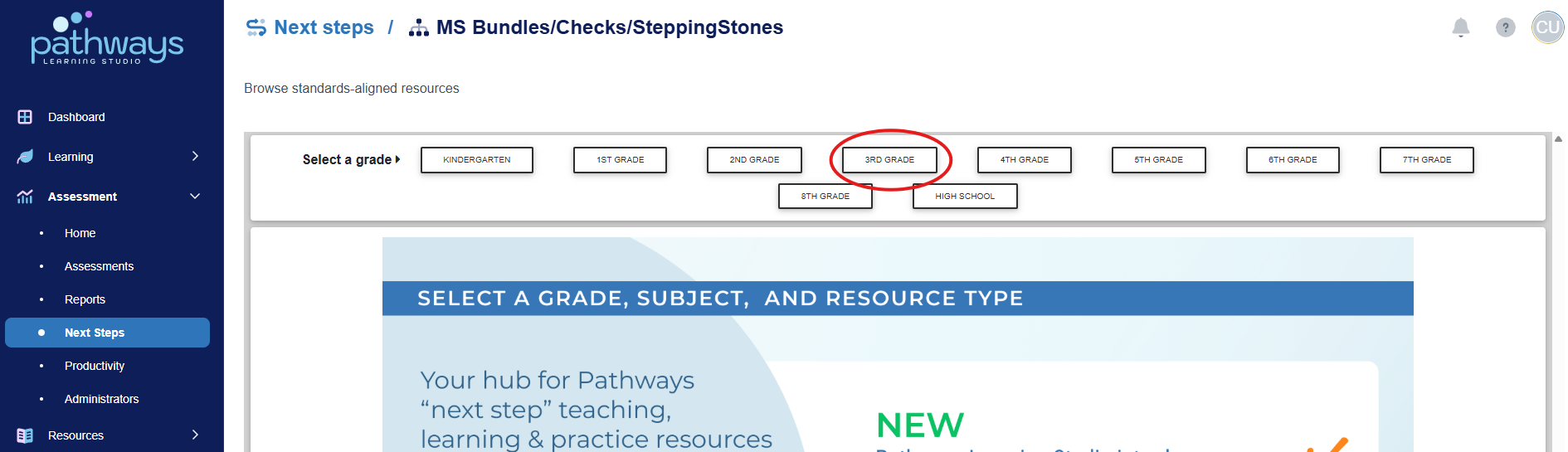
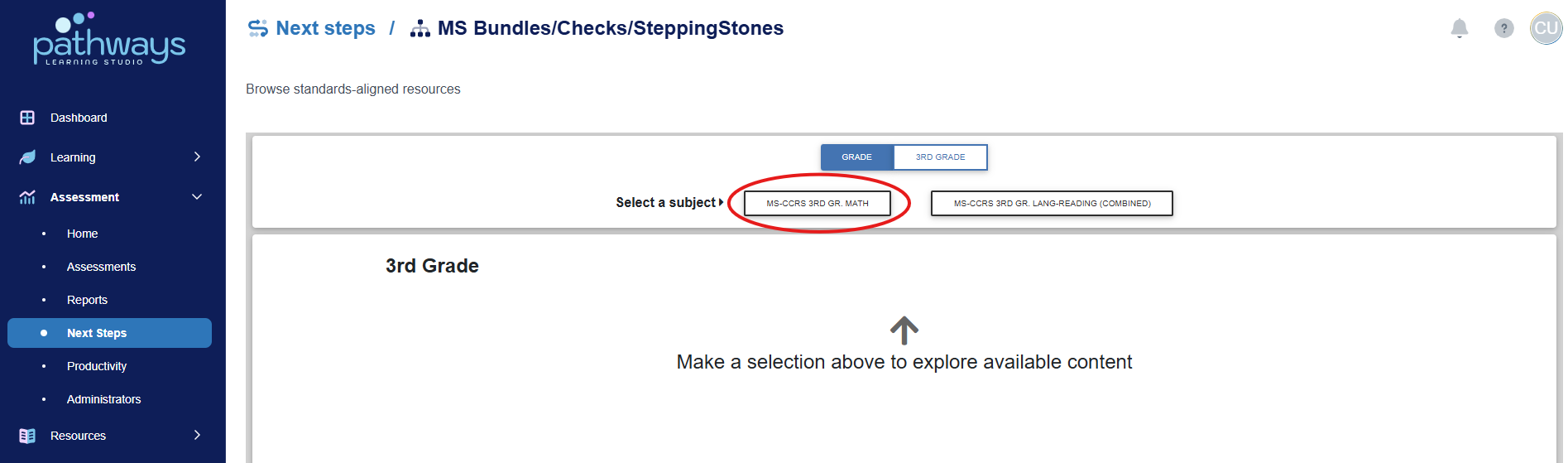
5. At the top of the page, select your desired grade level and subject (as well as strand and standard if available).
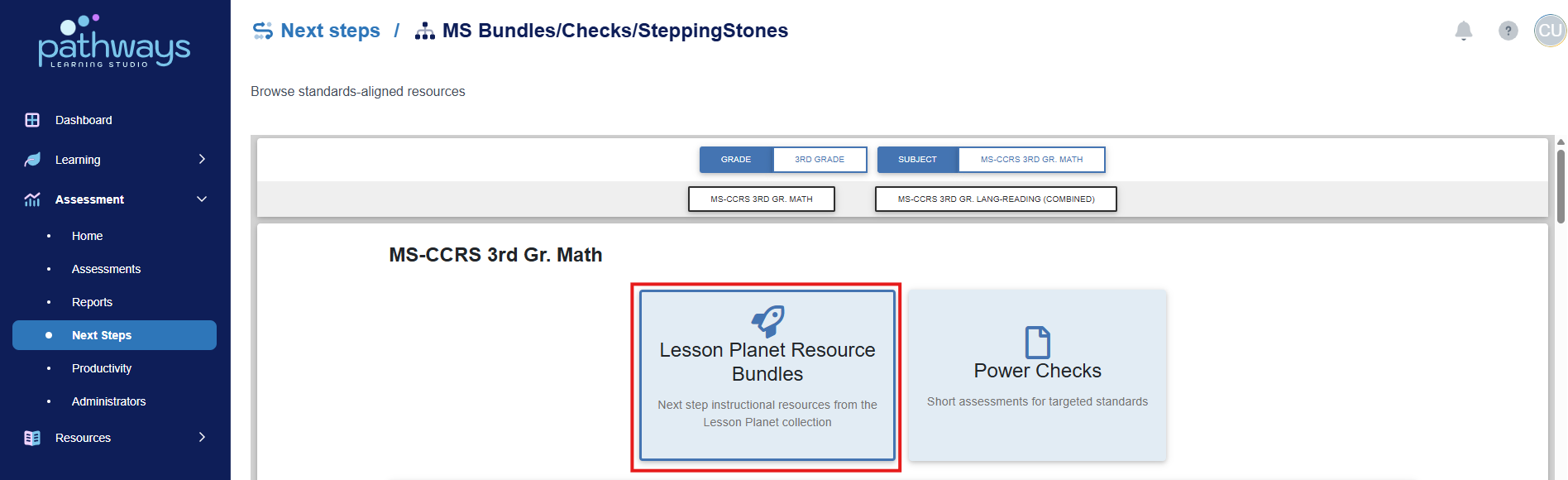
6. Select 'Lesson Planet Resource Bundles' to view the available resources for each standard.
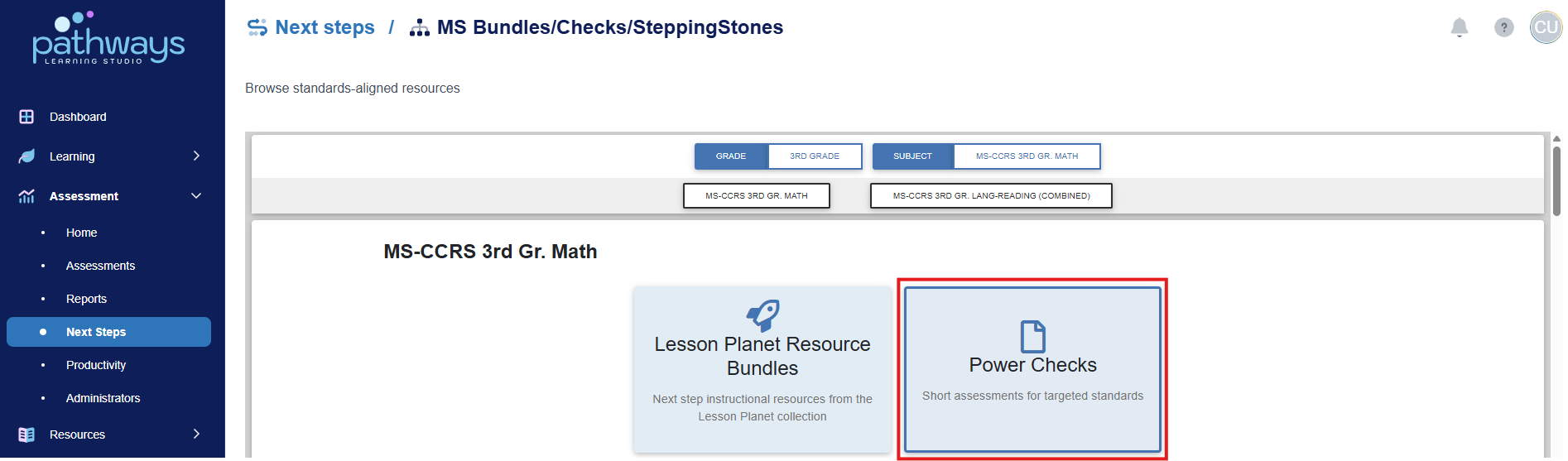
7. Select ‘Power Checks' to view the available assessments for each standard.
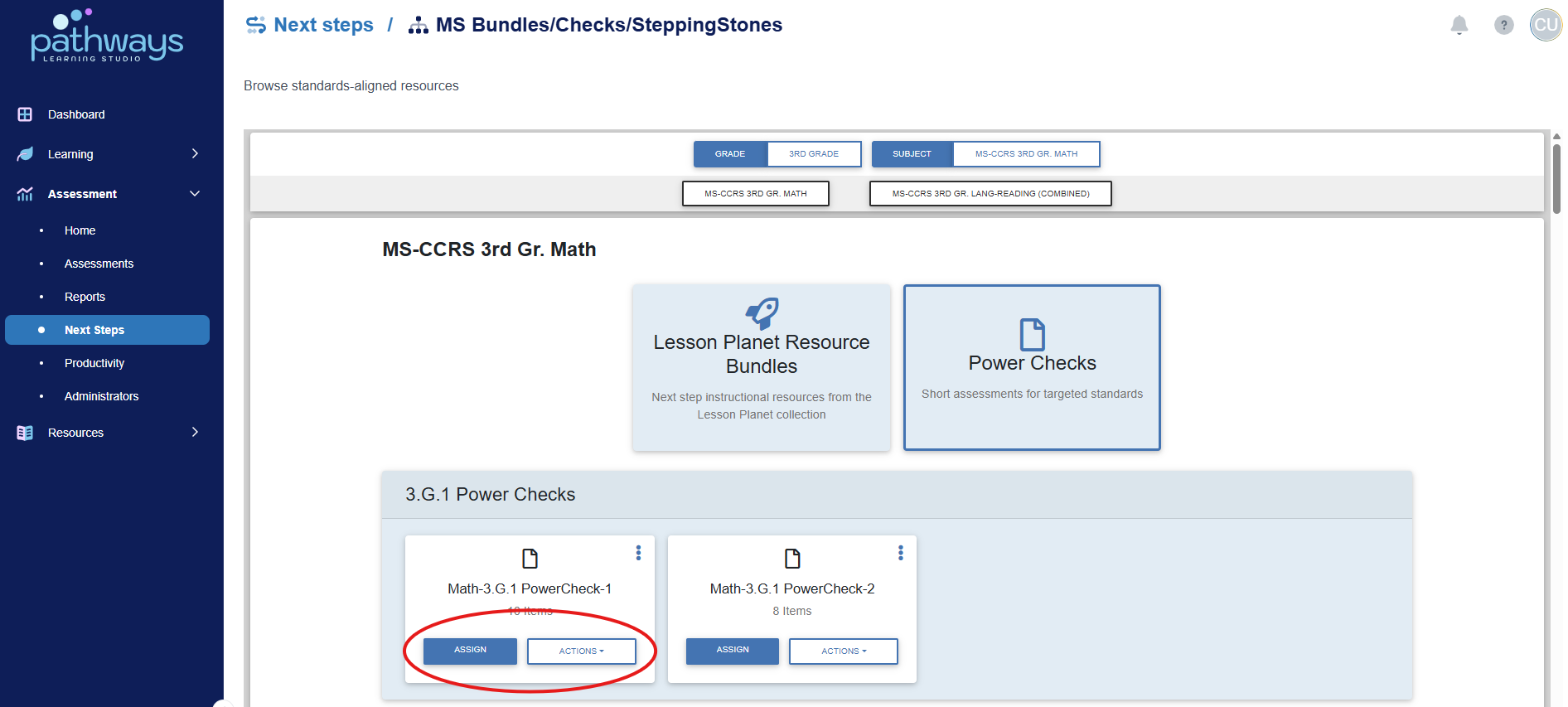
8. Select ‘Assign’ to give the review online, and select ‘View’ from the ‘Actions’ drop down menu to print the review as a worksheet.
Was this article helpful?
That’s Great!
Thank you for your feedback
Sorry! We couldn't be helpful
Thank you for your feedback
Feedback sent
We appreciate your effort and will try to fix the article