Table of Contents
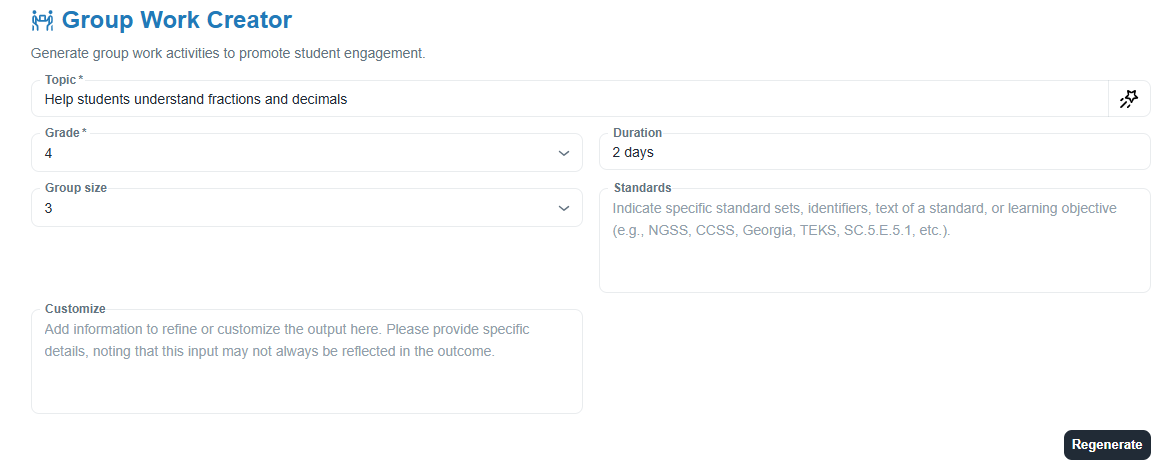
Group Work Creator
Getting started
HOW: Enter the topic, grade level, the size of the group, duration of the activity, standards, and any customizations. Once generated, copy the output into Google Docs or Word. Review a sample document.
APPLICATION: Group work is an effective instructional strategy that allows students to collaborate, problem-solve, and learn from one another. By working in small groups, students have the opportunity to engage in meaningful discussions, share ideas, and develop a deeper understanding of the content. Group work also helps students develop important 21st-century skills, such as communication, critical thinking, and teamwork.
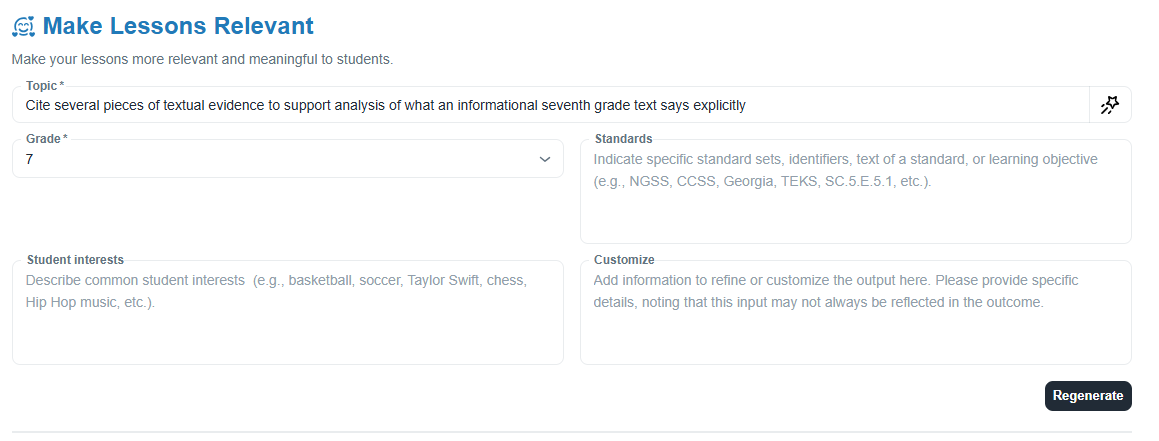
Make Lessons Relevant
Getting started
HOW: Enter the topic, grade level, standards, student interests and any customizations. Once generated, copy the output into Google Docs or Word. Review a sample document.
APPLICATION: Making lessons relevant to students' interests and experiences is crucial for engaging them in the learning process. When students can connect the content to their own lives and passions, they are more likely to be motivated, invested, and actively participate in the lesson. Relevant lessons also help students understand the real-world applications and importance of what they are learning.
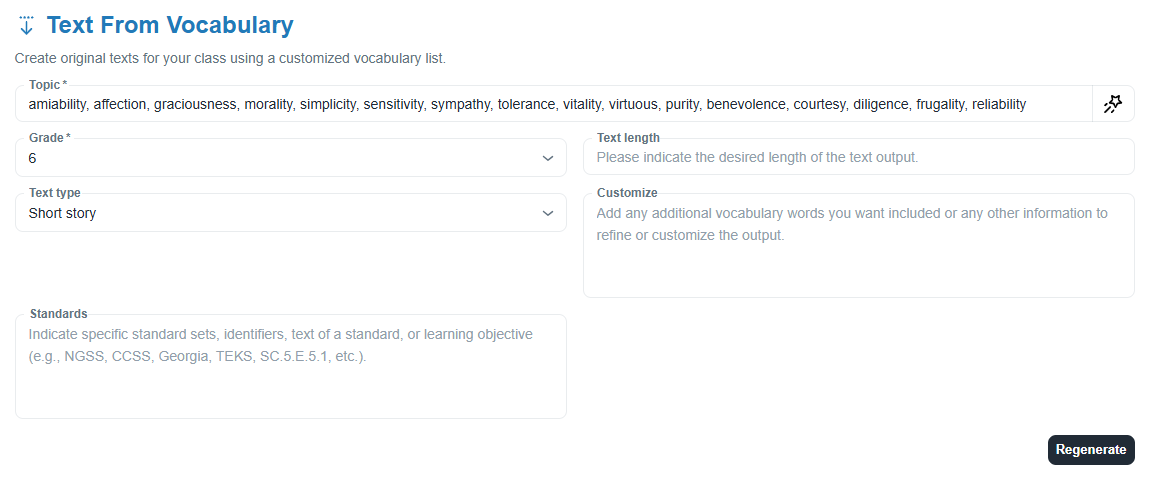
Text from Vocabulary
Getting started
HOW: Enter the spelling or vocabulary words, grade level, the text type to be generated, standards, and any customizations. Once generated, copy the output into Google Docs or Word. Review a sample document.
APPLICATION: Create original texts for your students that align with Pathways Learning spelling lists or your own vocabular lists. This will allow your students to make connections as they practice the words and read them in context within the text. This tool allows you to choose from a variety of text types. Review sample documents: short story, fictional text, historical text.
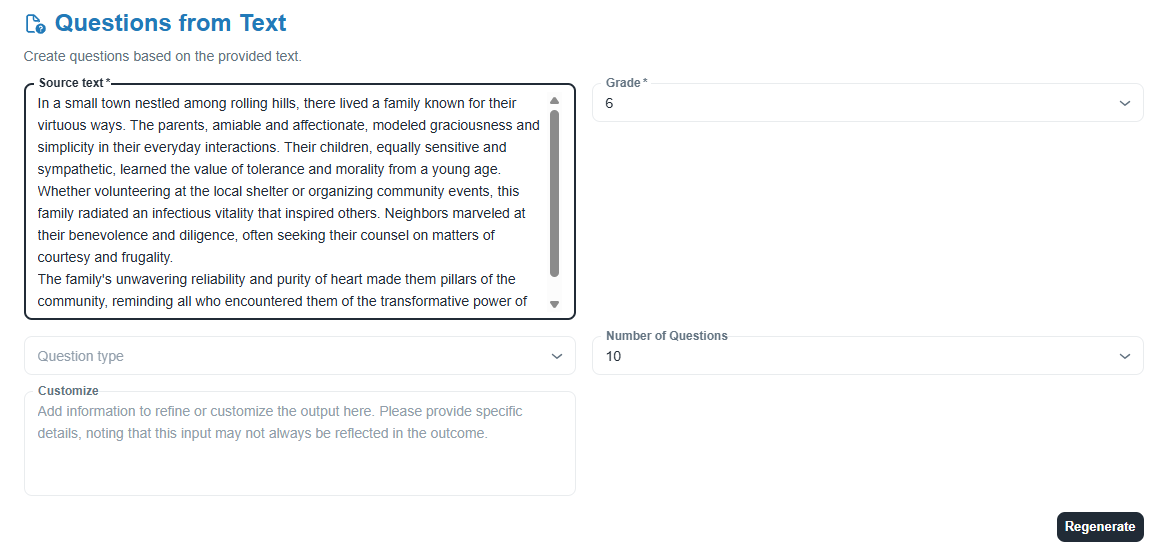
Questions from Text
Getting started
HOW: Enter the text, grade level, and any customizations. Once generated, copy the output into Google Docs or Word. Review a sample document.
APPLICATION: Providing students with comprehension questions can be a valuable tool in the classroom, as they encourage students to engage in critical thinking and problem-solving. In addition, when using the Text from Vocabulary AI tool to generate a passage from a Pathways Learning Spelling list and then the Questions from Text AI tool to generate questions, you can ensure that students have a well rounded understanding of the vocabulary words.
Was this article helpful?
That’s Great!
Thank you for your feedback
Sorry! We couldn't be helpful
Thank you for your feedback
Feedback sent
We appreciate your effort and will try to fix the article