1. Login to your Pathways account through Clever, ClassLink, or at pathwayslearningstudio.com.
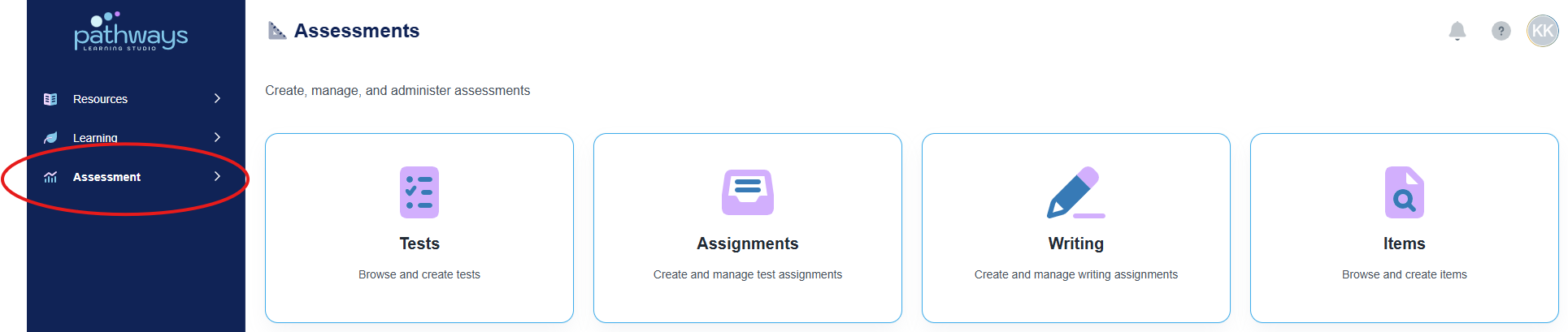
2. Navigate to 'Assessment' on the left-hand navigation bar.
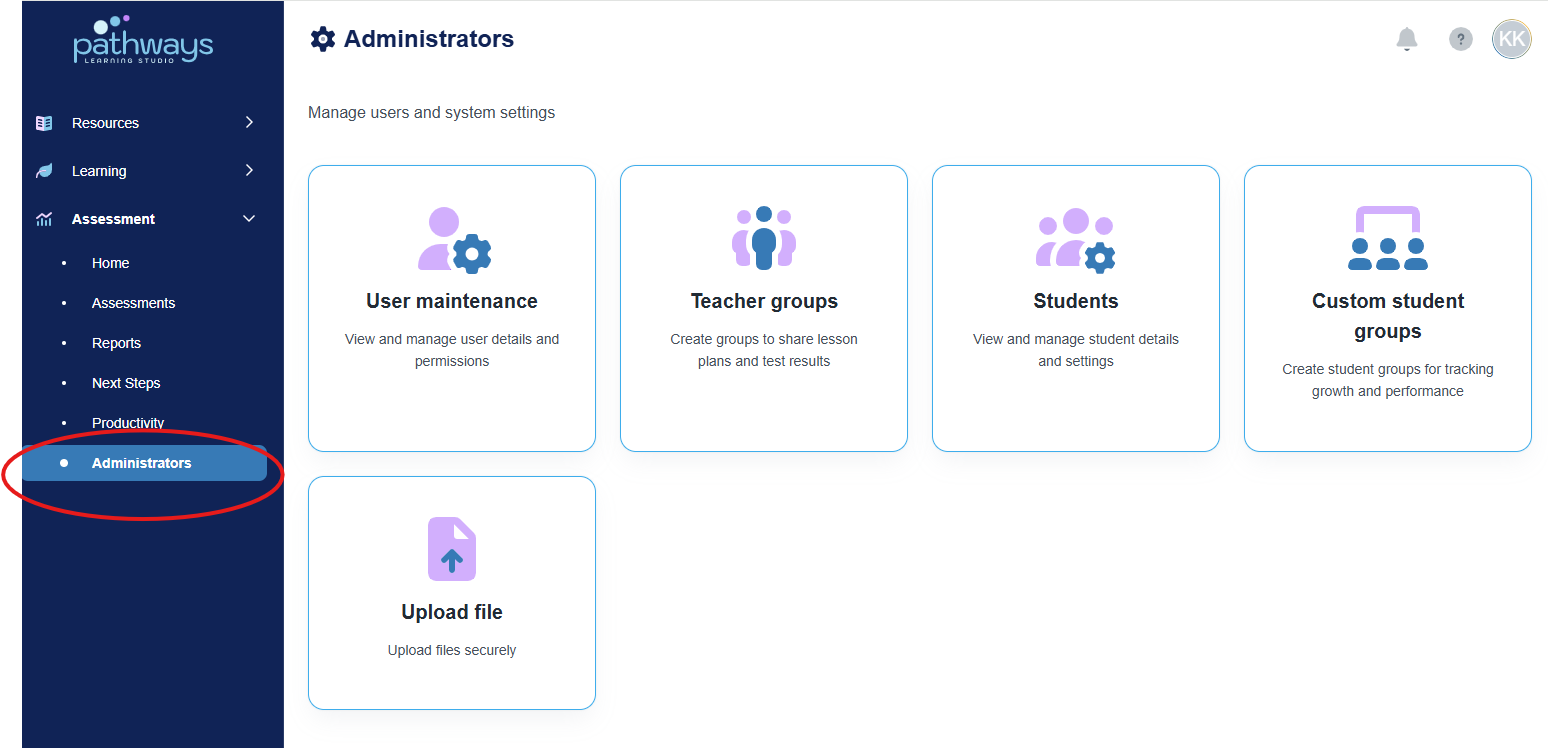
3. Navigate to 'Administrator' located under 'Assessment' on the left-hand navigation bar..
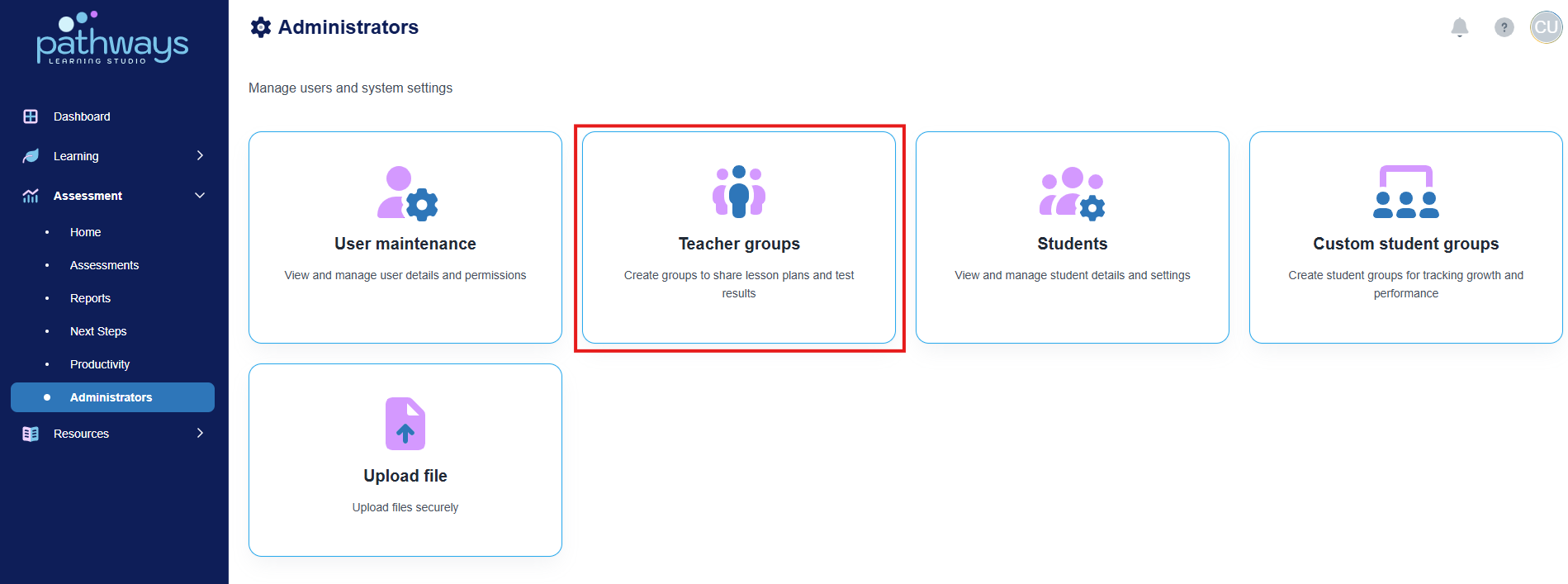
4. Select 'Teacher groups' from the Administrator dashboard.
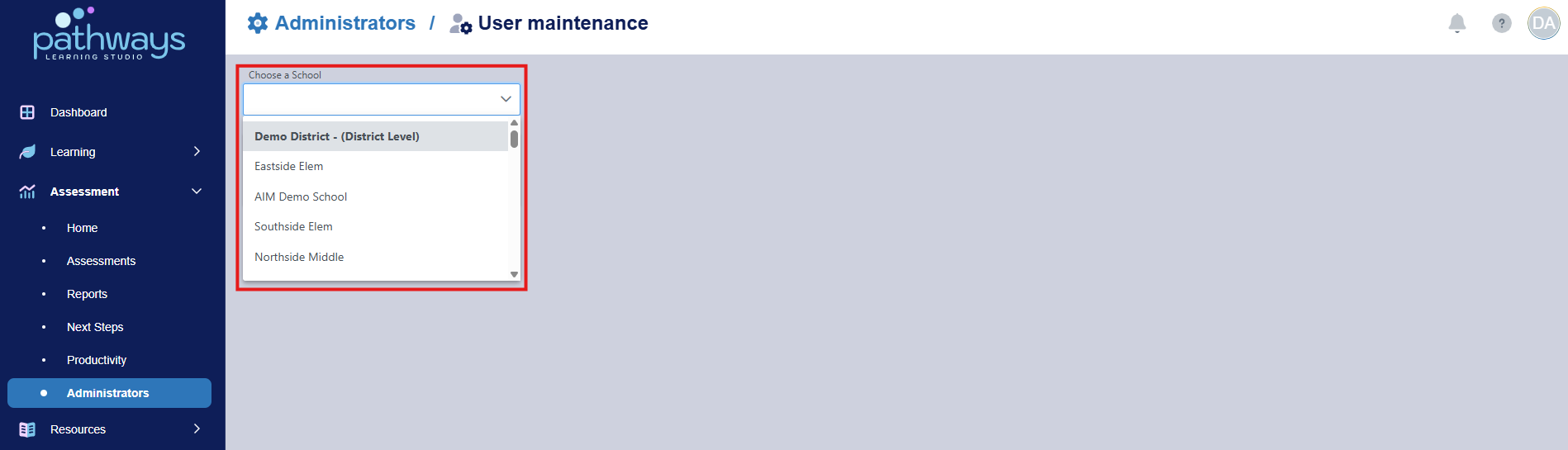
5. Select the school or district view for which you need to create a teacher group.
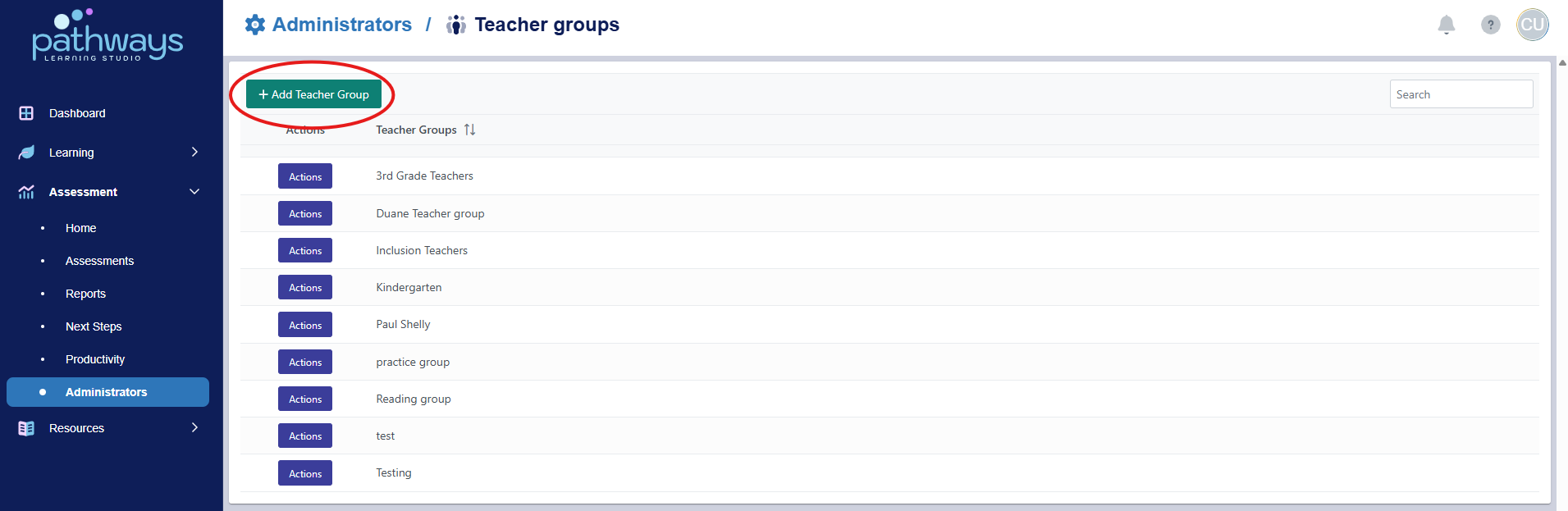
6. Select 'Add Teacher Group' from the top of the screen.
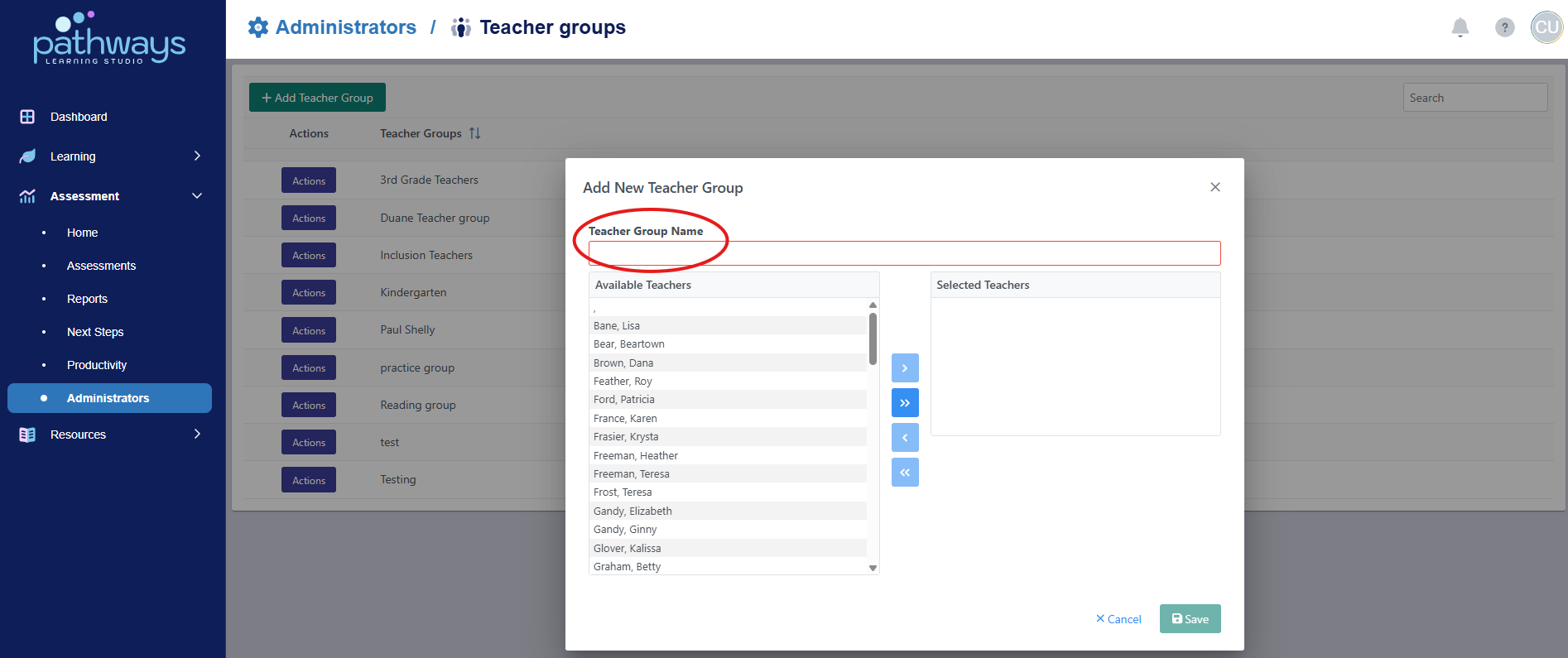
7. Add a Teacher Group Name.
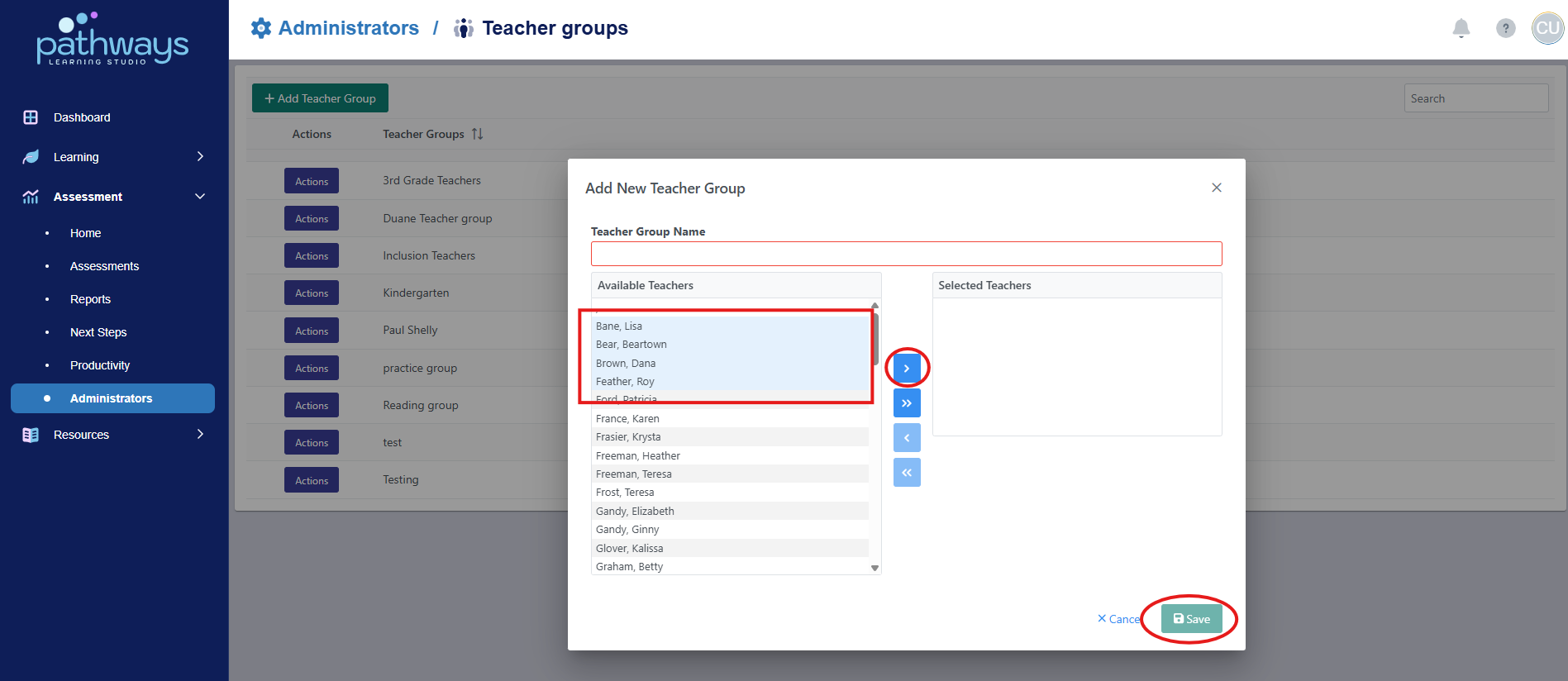
8. Choose the teachers you wish to add to the teacher group by selecting their name on the left side list, then clicking the singular blue arrow. If you wish to move all teachers over at once, select the double arrows. Once you have moved all desired teachers over, select 'save.'
Was this article helpful?
That’s Great!
Thank you for your feedback
Sorry! We couldn't be helpful
Thank you for your feedback
Feedback sent
We appreciate your effort and will try to fix the article