1. Extremely high performing classrooms- Although a classroom performing far higher than their expected results might seem like a positive sign, it could point to inaccurate data. Pathways Benchmarks and Snapshots are created to find Zones of Proximal Development - in other words, the assessments show what a student is able to do completely independently so that they can be guided towards higher understanding after the assessment. If a teacher has supported students during test taking in any way, the results of the test will not accurately represent what a student is able to do independently. For example, consider an administrator viewing these test results:
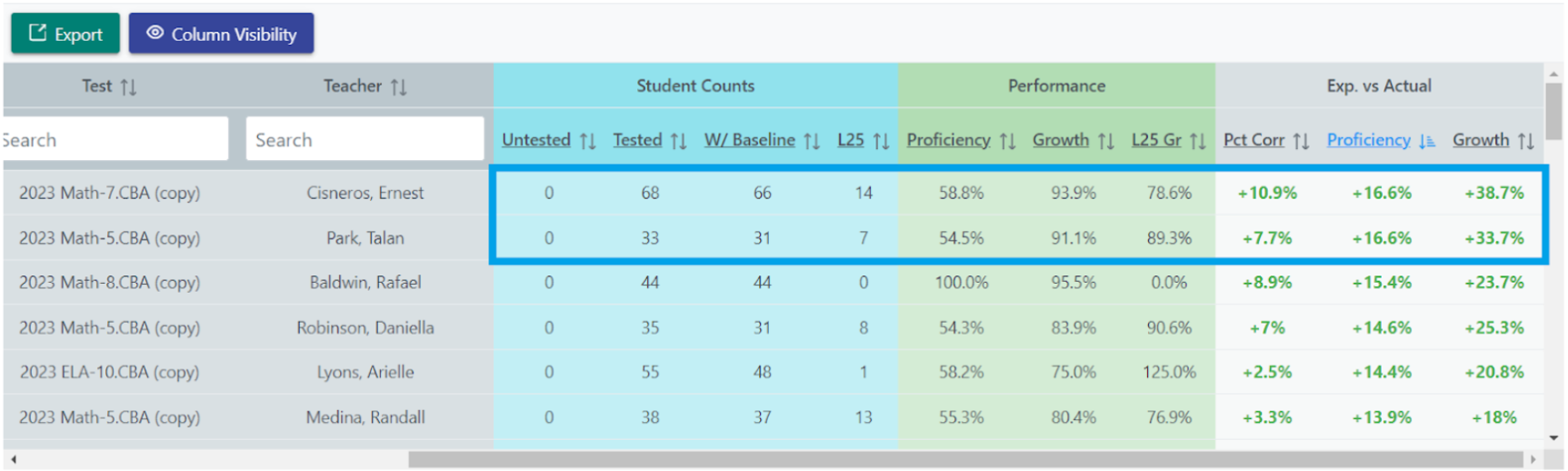
It would be a good idea for an administrator to have a conversation with the teachers in the extreme range of growth, ensuring that the test wasn’t given with extra support or guidance.
2. Extremely low performing classrooms- Using expected vs. actual data distinguishes between classes with low ability levels and classes with low progress levels. Classrooms with low ability levels are normal and are not necessarily a concern. Classrooms with low progress levels (performing far below their expected results), however, can point to an issue that needs to be addressed with teaching. For example, consider an administrator viewing these test results:
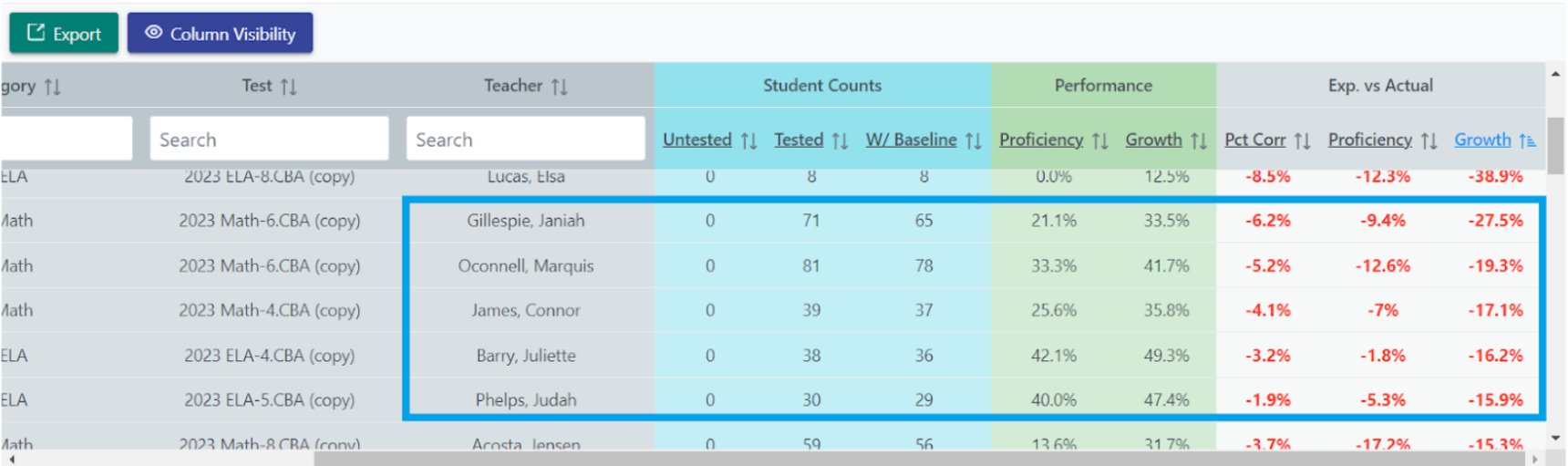
It would be a good idea for an administrator to provide extra support or have a conversation with teachers that have an extreme range of discrepancy in their expected vs. actual growth.
3. Extremely low performing students- Expected vs. Actual test results allow teachers and administrators to identify students that are falling behind during a school year. There are many contextual reasons a student may be falling behind their expected performance level: the student may have been distracted on the day of testing, the student may be having difficulties at home, etc. Whatever the reason, it is important for a teacher or administrator to notice when a student is falling behind their expected performance level. For example, consider an administrator observing these student results:
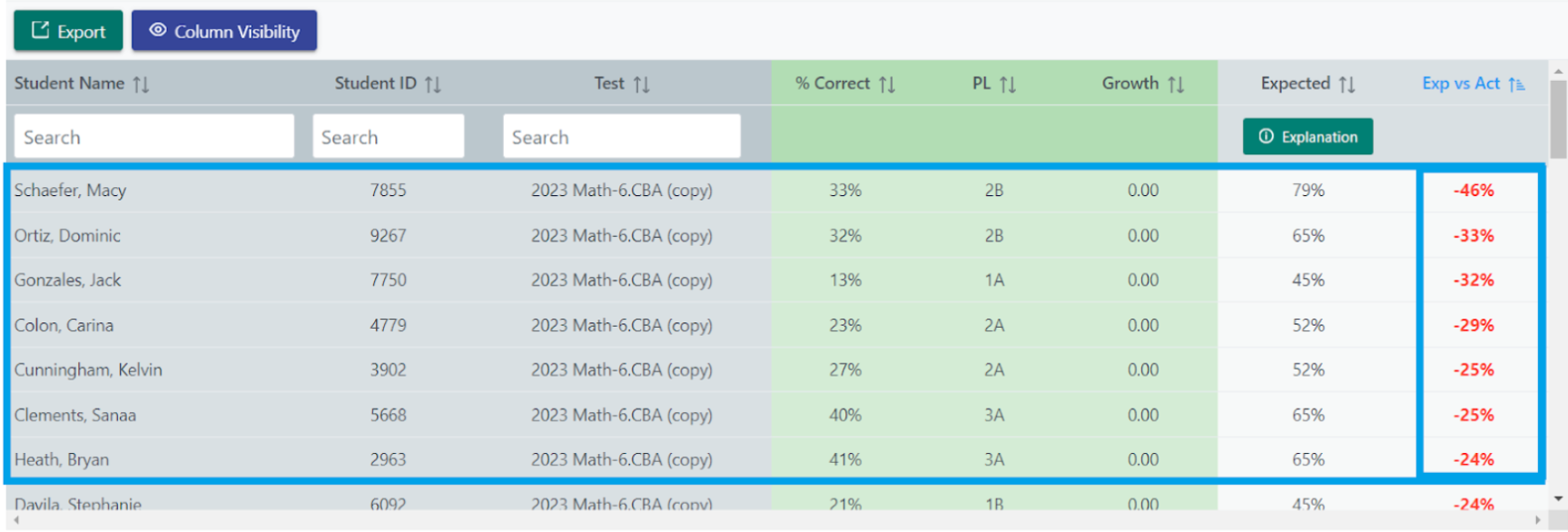
It would be a good idea for an administrator to investigate what may be going on with the students that have high discrepancies in their expected performance.
4. Baseline level discrepancy in standards. Pathfinder uses data from the test results of every student that takes the Pathways Snapshots or Benchmarks to create expected performance levels by baseline performance for each standard. With Student Tracker, a teacher can view which standard(s) a student has fallen behind on that other students with the same baseline performance level usually master. For example, consider this data:
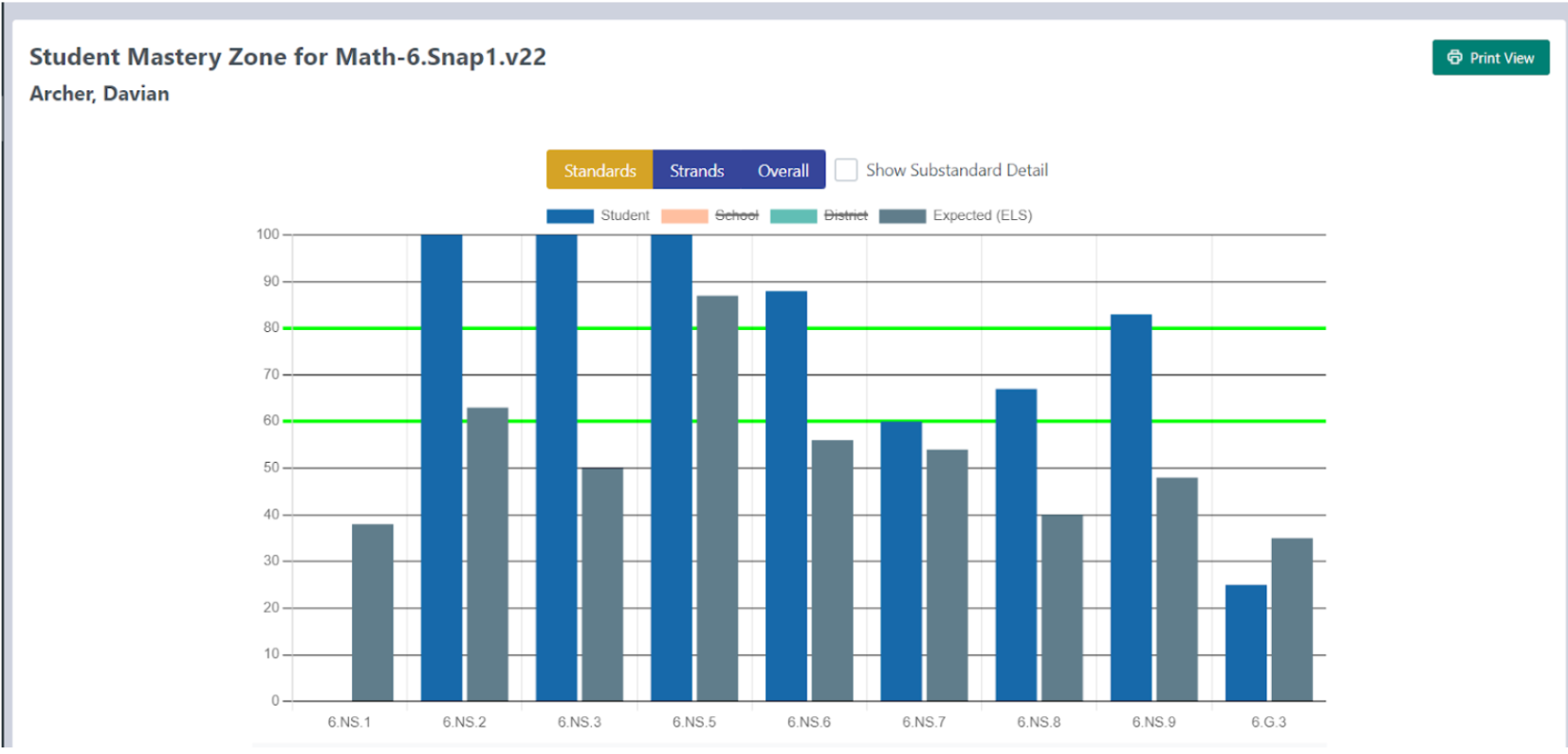
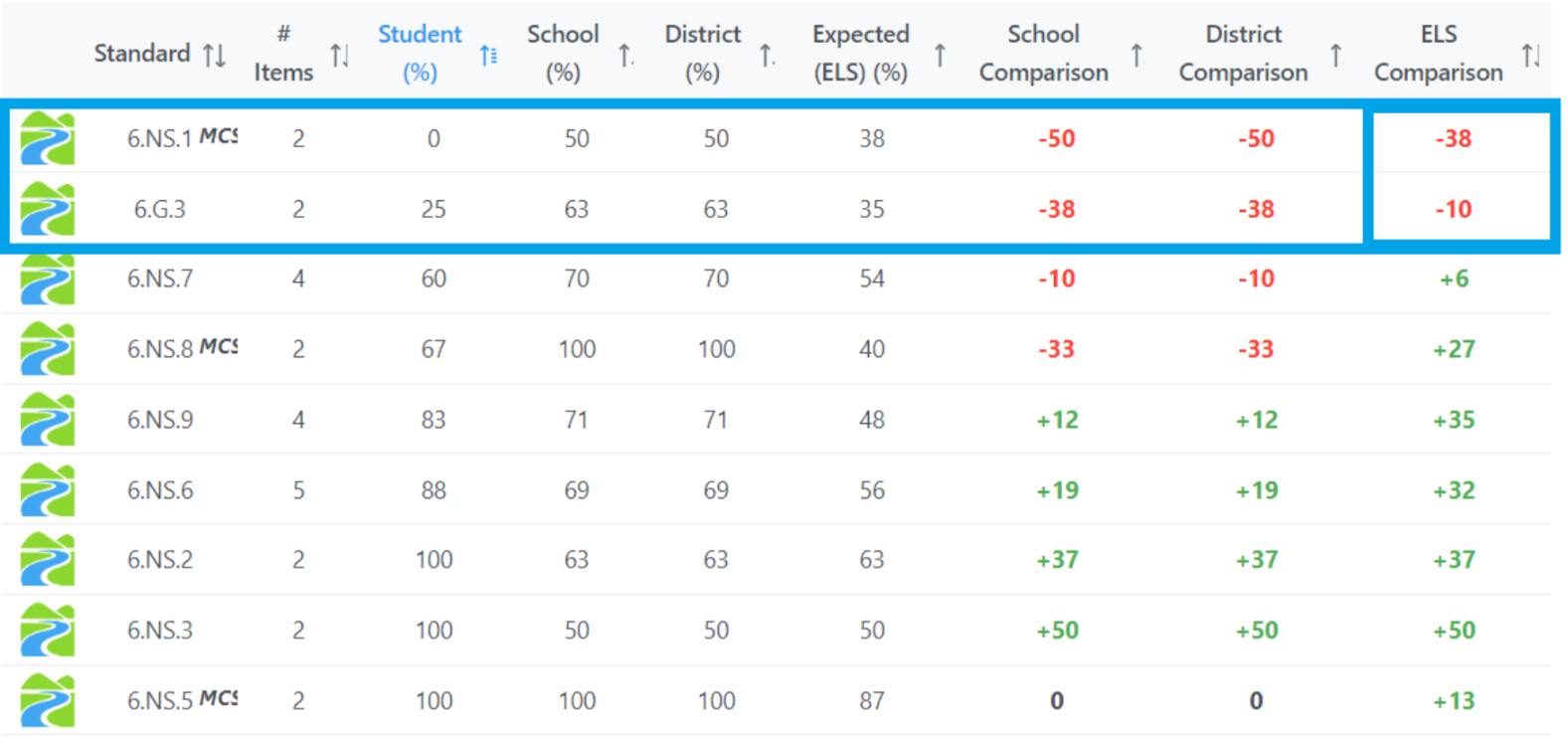
Davian’s teacher should focus on 6.NS.1 and 6.G.3 because these are standards that Davian is the most likely to master based on his baseline performance level.
5. Baseline level discrepancy in items. Pathfinder uses data from the test results of every student that takes Pathways Snapshots or Benchmarks to create expected performance levels by baseline performance for each item. With Student Tracker, a teacher can view which item(s) a student missed that other students of the same baseline performance level were most likely to get correct. For example, consider this data:
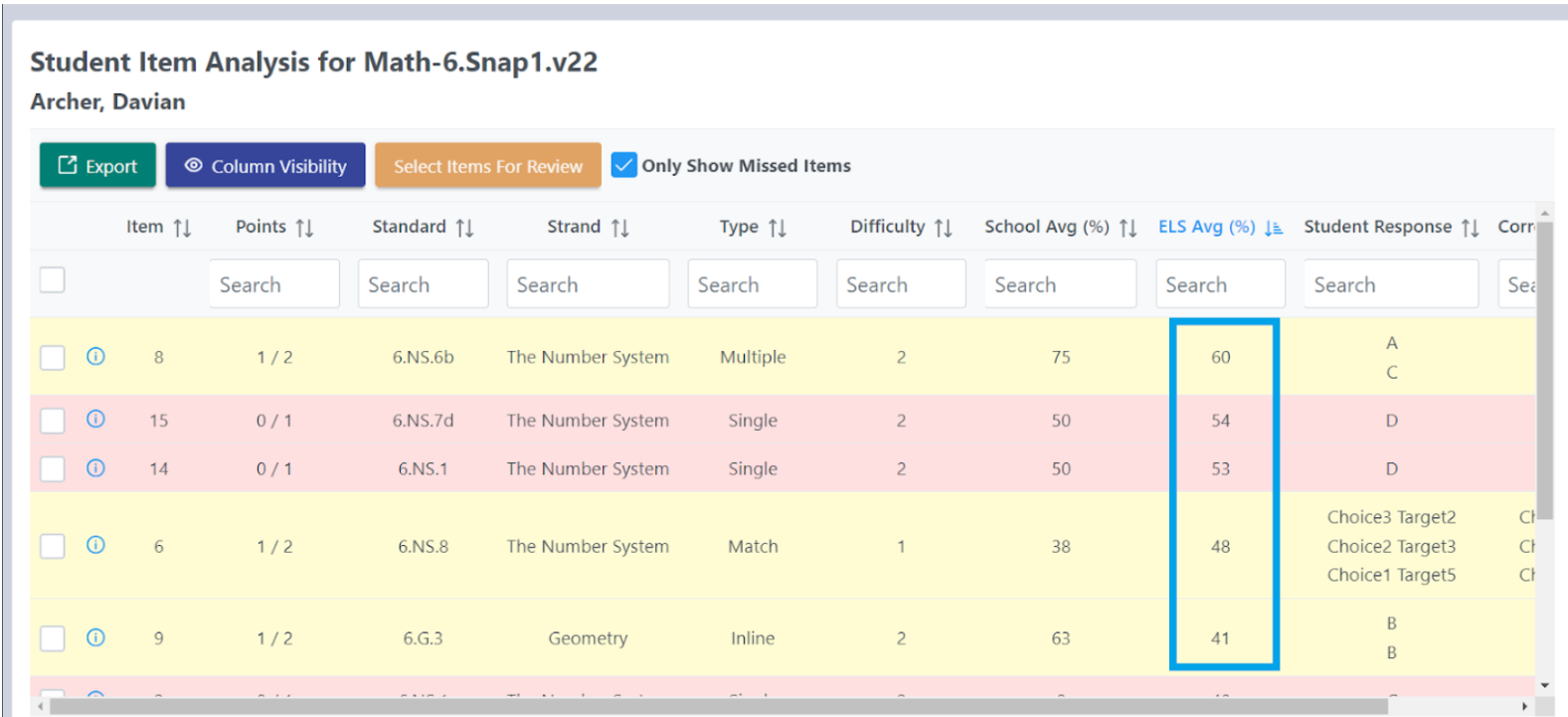
By sorting the ELS Avg. from highest to lowest, Davian’s teacher can see the items that Davian missed but is most likely to master based on his baseline performance level.
Was this article helpful?
That’s Great!
Thank you for your feedback
Sorry! We couldn't be helpful
Thank you for your feedback
Feedback sent
We appreciate your effort and will try to fix the article